AI-powered Lean Six Sigma & continuous improvement software

Run every improvement projectfrom idea to sustained result

Ci Flow is an operational excellence platform for RDMAICS, A3 problem solving, Just Do It and Kaizen Event projects, with Lean Six Sigma tools, BPMN 2.0 process mapping, AI analysis, Status Coach guidance, team collaboration and portfolio reporting in one connected workspace.

Explore the platform

No credit card required · Example projects included · Cancel anytime

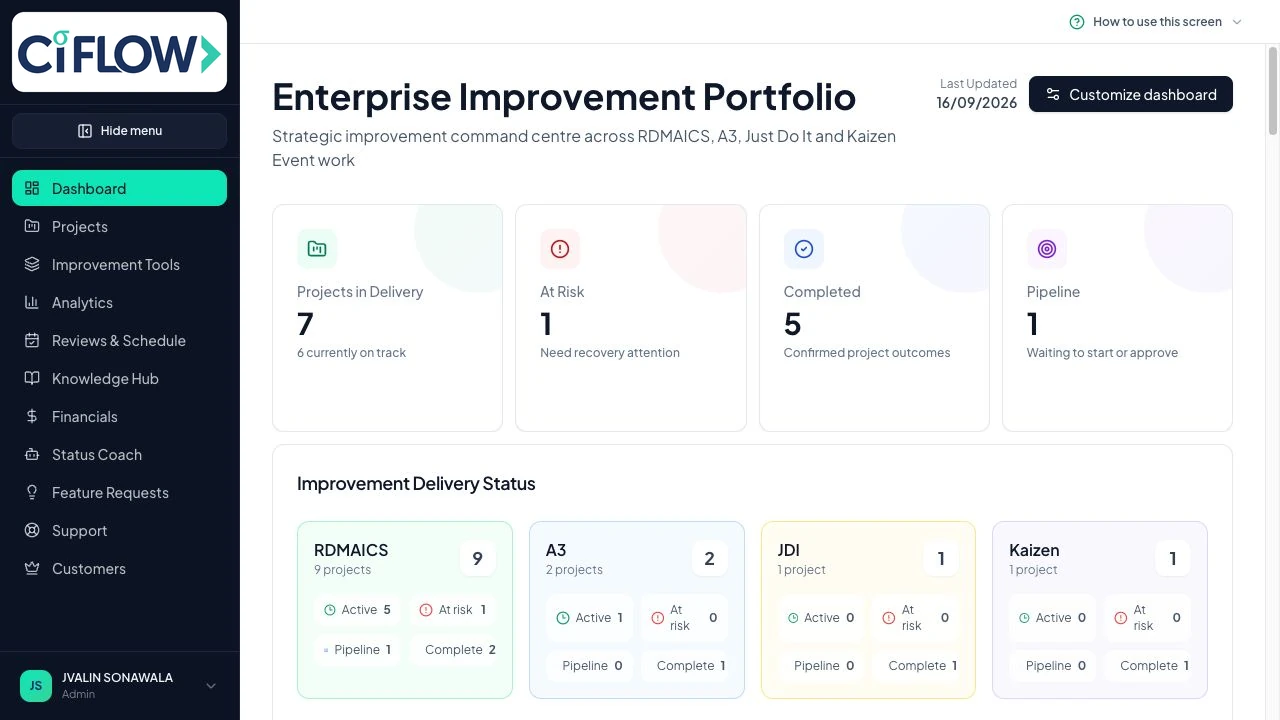
Ci Flow portfolio dashboard
Ci Flow enterprise improvement portfolio dashboard with project delivery and methodology status

4 methodologies

Right-sized project journeys

290+ tools

Improvement and analysis

AI guidance

Evidence-based interpretation

Team workspace

Chat, actions and decisions

See the platform in action

From the improvement portfolio to the work inside every project

Give leaders the portfolio view they need and project teams the detailed workspace they use to solve the problem.

Portfolio dashboard
Ci Flow enterprise improvement portfolio dashboard with project delivery and methodology status

Portfolio dashboard

1 / 18

See the complete improvement portfolio at a glance

The live dashboard brings project delivery, risk and methodology coverage together in one executive view.

  • RDMAICS, A3, JDI and Kaizen together
  • Delivery and risk visibility
  • Real portfolio data, not a mock-up

Browse the real product screens below
Personal project guidance

Status Coach shows the evidence, explains the status and guides the next step

These are the real Status Coach screens. Select a project, review the calculated evidence and ask focused questions without losing sight of the facts behind the answer.

01

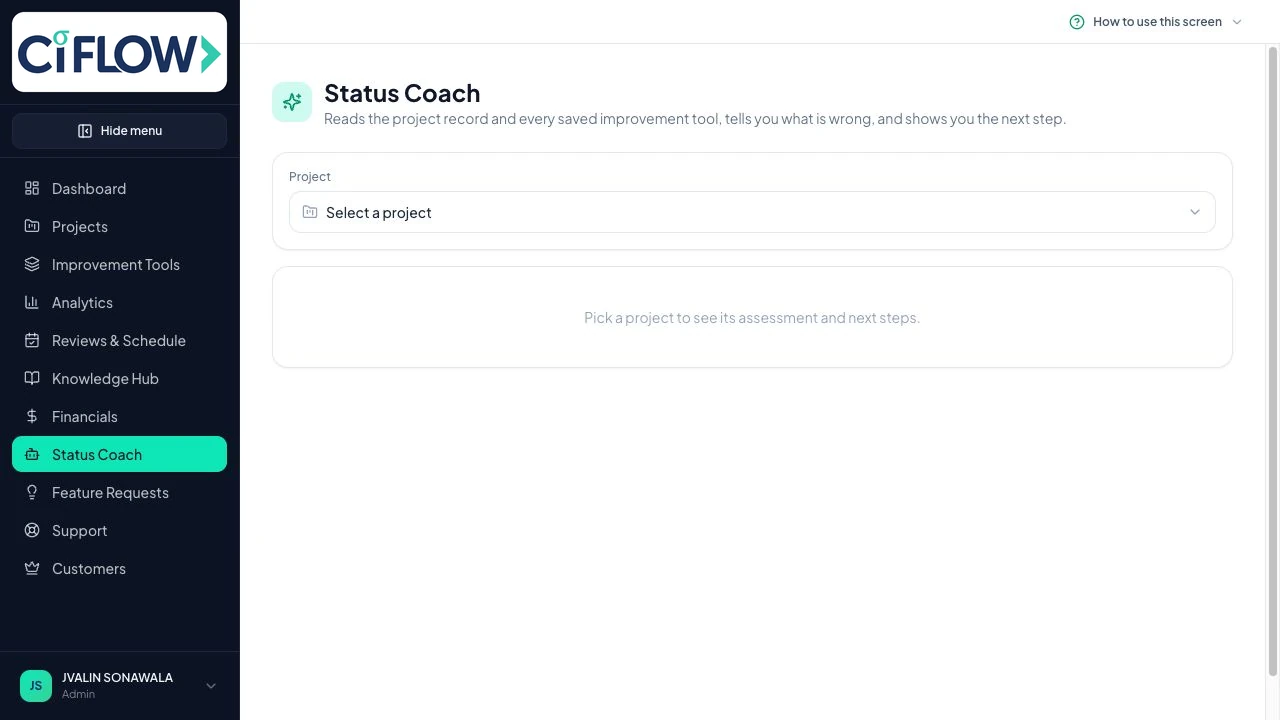
Start with the project you want assessed

Choose any live project. Status Coach reads its project record, saved tools, phase progress, risks, benefits and completion evidence before giving advice.

The assessment stays grounded in the selected project
Status Coach
Project selection
Ci Flow Status Coach project selection screen
Real Ci Flow product screen
02

See the evidence being assessed, not a mystery answer

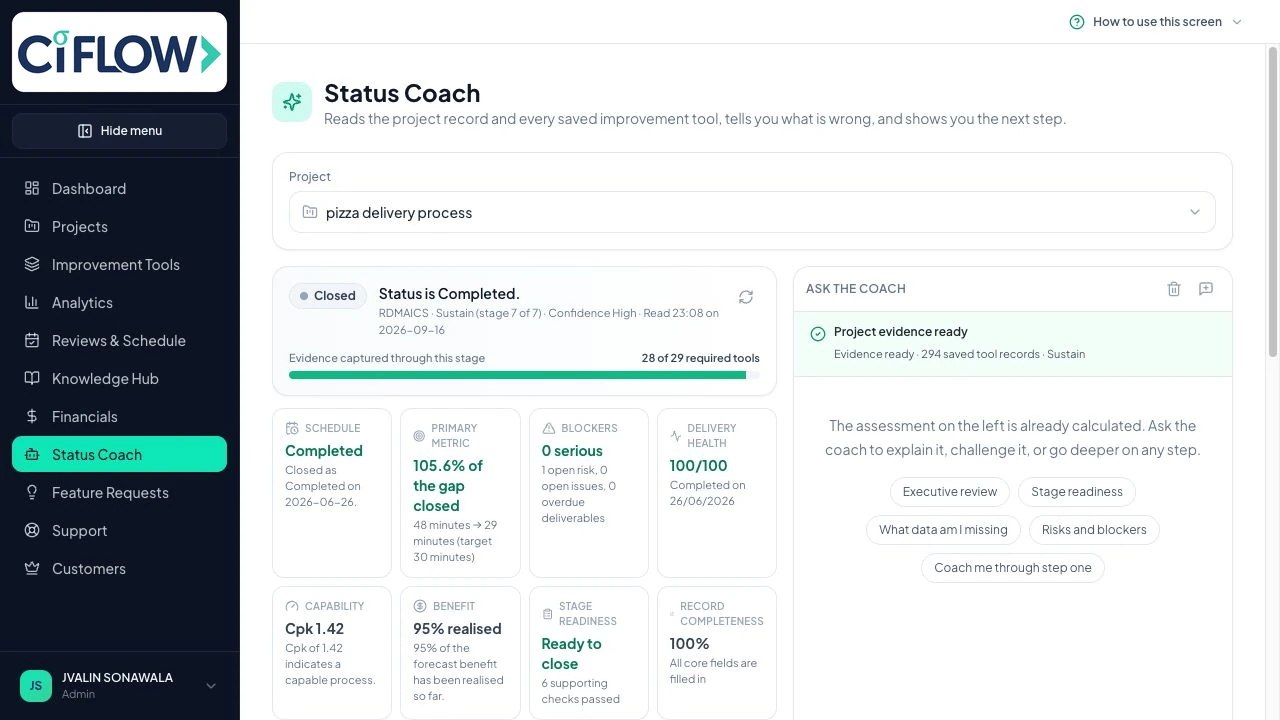
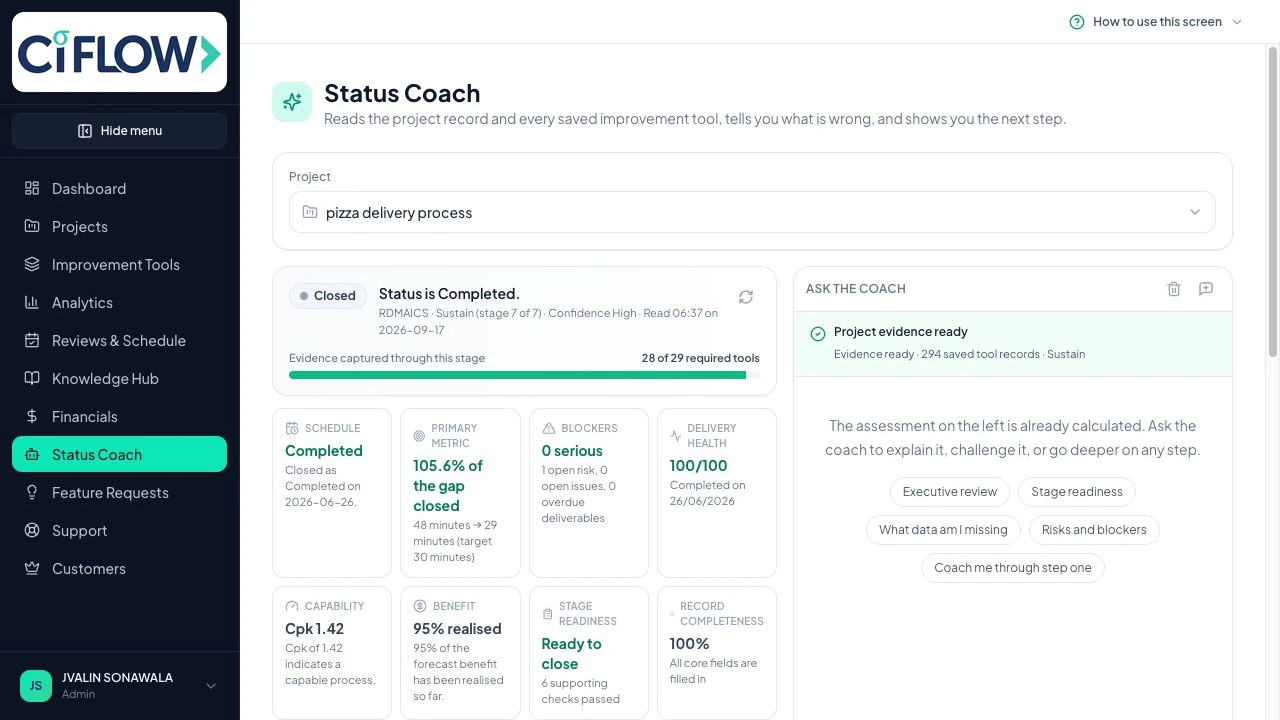
The workspace shows schedule, primary metric, blockers, delivery health, capability, benefit, stage readiness and record completeness together, so users can see what the coach is using.

Every status signal remains visible beside the coach
Status Coach
Live assessment
Ci Flow Status Coach assessing project evidence, metrics and readiness
Real Ci Flow product screen
03

Ask for the explanation or the next action

Use focused prompts for an executive review, stage readiness, missing data, risks and blockers, or step-by-step coaching. The answer is tied back to the same evidence panel.

Clear guidance without hiding the project facts
Status Coach
Guided next step
Ci Flow Status Coach evidence review with focused coaching prompts
Real Ci Flow product screen
Reads the live project evidence
Makes the assessment visible
Turns findings into the next action
Four improvement methodologies

Use the right project journey for the work

The methodology changes the stages, governance and recommended tools. These are the real project workspaces, not generic template illustrations.

RDMAICS
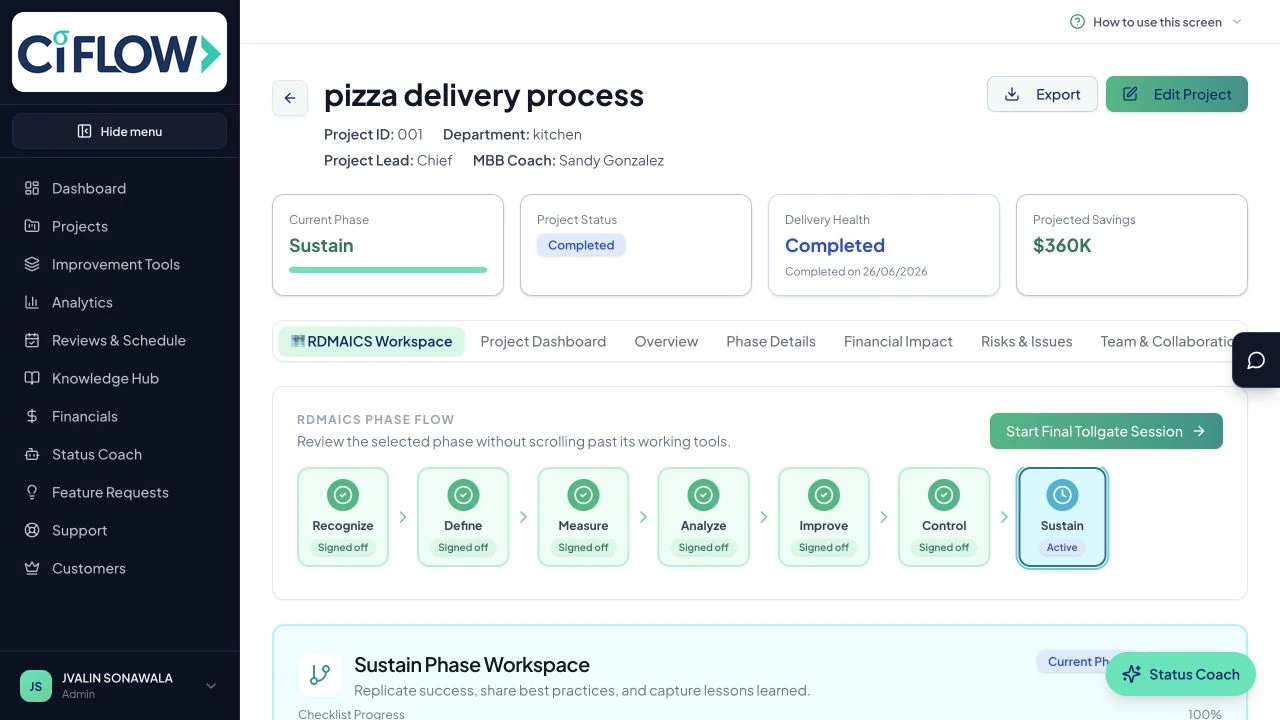
Completed Ci Flow RDMAICS project workspace
RDMAICS

RDMAICS for complex, data-led improvement

Seven connected phases carry the problem, evidence, analysis, improvement and sustainment record from Recognize through Sustain.

  • Seven governed phases
  • Statistical and process tools
  • Phase tollgates and sign-off
A3
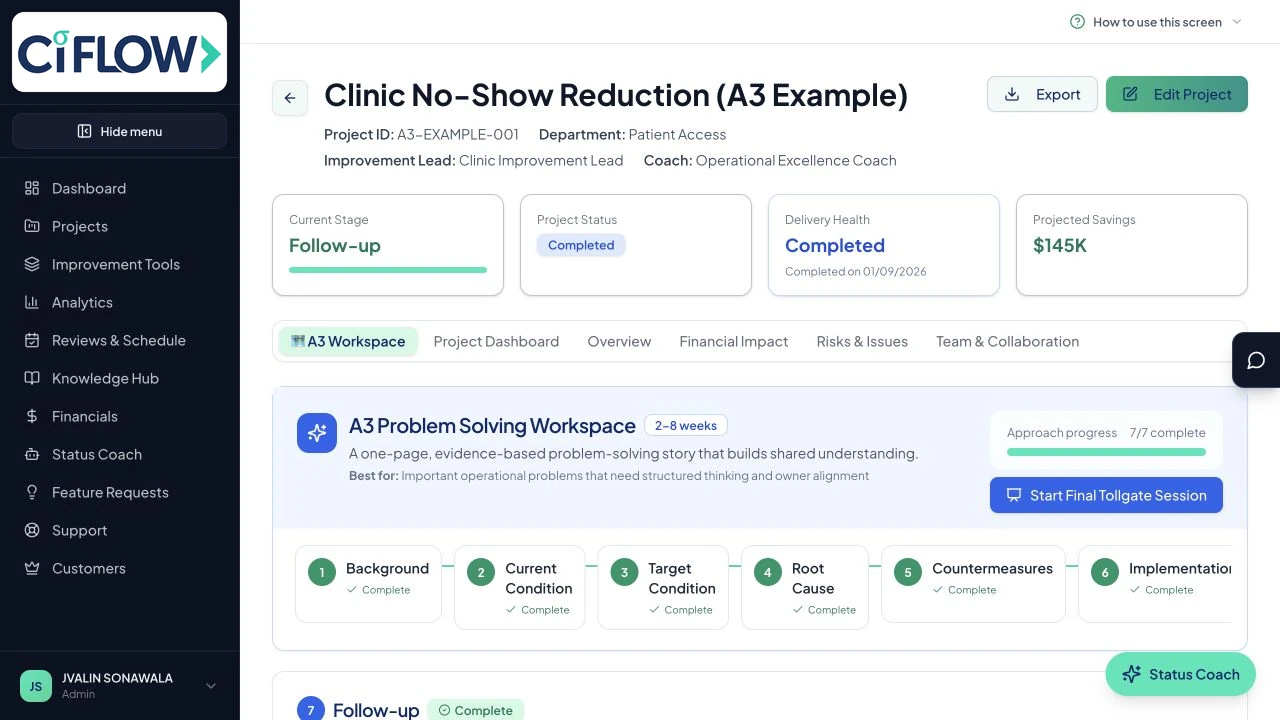
Ci Flow A3 problem-solving workspace
A3

A3 for structured problem solving

A visual seven-stage workspace keeps background, current condition, target, root cause, countermeasures, implementation and follow-up connected.

  • Seven numbered stages
  • Searchable tool choices
  • Stage-specific tollgates
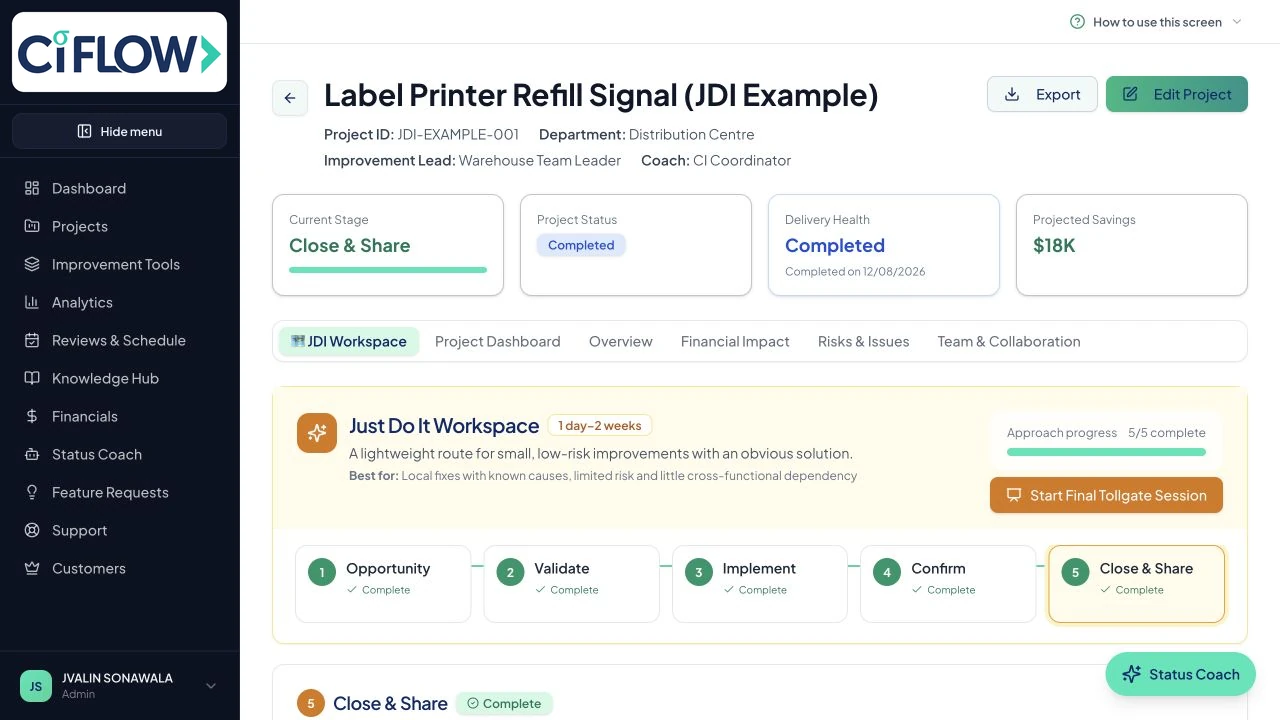
JDI
Ci Flow Just Do It project workspace
JDI

Just Do It for contained, low-risk fixes

A lighter five-stage journey gives small improvements enough ownership and verification without oversized project administration.

  • Fast validation
  • Clear action ownership
  • Verified benefit and closeout
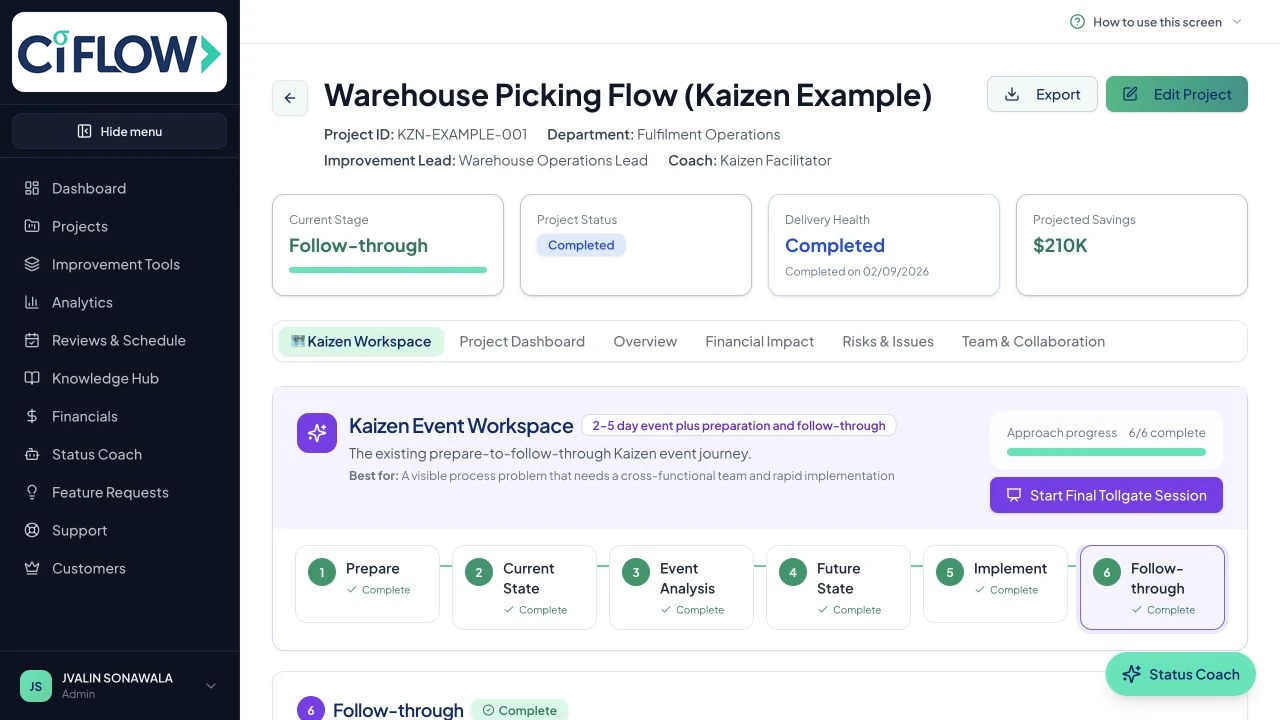
KAIZEN
Ci Flow Kaizen event workspace
KAIZEN

Kaizen for focused team events

Choose a standard event, Monday-to-Friday journey or DMAIC-based Kaizen, then configure the stages and tools around the event.

  • Multiple Kaizen journeys
  • Visible daily actions
  • Post-event follow-through
Work with the evidence

Interactive tools that produce usable outputs

Draw, calculate, interpret and present inside the same project. Every example below is a completed screen from the product.

BPMN 2.0
Completed BPMN 2.0 process map in Ci Flow

BPMN 2.0

Model a real process with lanes, gateways and connected flows

Build and validate an editable as-is or future-state process map instead of reducing the process to a static list of boxes.

  • Swimlanes and BPMN symbols
  • Editable connectors and timing
  • Validation and structured export
Value stream mapping
Completed value stream map in Ci Flow

Value stream mapping

Connect process flow, inventory, delay and performance

Create a current-state value stream map with the operating data and information flows needed to expose waste and prioritise the future state.

  • Connected value-stream symbols
  • Lead and process time
  • Editable process evidence
Spaghetti diagram
Completed spaghetti diagram in Ci Flow

Spaghetti diagram

Draw movement directly in the workspace

Place work areas, connect the actual movement path and record measured distance without asking users to calculate x and y coordinates.

  • Visual placement and routing
  • Manual distance entry
  • Completed movement analysis
Tollgate presentation
Ci Flow tollgate presentation with Pareto evidence

Tollgate presentation

Turn worked evidence into an editable stakeholder story

Only saved tools enter the storyboard. Tables, charts, process maps and explanations stay aligned between presentation mode and PowerPoint.

  • Worked tools only
  • Custom text slides
  • Editable phase and all-phase PowerPoint
Customise the working fields
Keep the input and output together
Carry saved evidence into the tollgate
Built for companies

Create one operational-excellence system across the organisation

Standardise governance without removing flexibility. Ci Flow gives administrators portfolio visibility while practitioners retain the methodology, tools and collaboration space needed to deliver each project.

Company plan includes

Up to 50 members
Unlimited projects
Admin portfolio view
Priority support

Project teams and collaboration

Bring project members into the same workspace with project chat, visible decisions, assigned actions and shared context.

Company governance

Use role-based access, phase-gate reviews, portfolio health scoring and consistent improvement standards across the organisation.

Customisable tools

Rename headings, add or remove columns and adapt existing tools to match your company’s terminology and operating system.

Portfolio reporting

Track status, methodology, savings, ROI, sigma performance, risks and delivery across every improvement initiative.

Protected company data

Keep organisational project information separated with permissions designed for individual contributors, project teams and administrators.

Strategy deployment

Cascade objectives through a Hoshin Kanri X-matrix, track KPIs month by month and turn improvement priorities into projects.

Pain point intake

Share one link or QR code so anyone in the organisation can report a pain point, then score it and turn it into a project.

Complete, presentation-ready exports

Export tool inputs, AI interpretation or both together in structured formats for reviews, reports and project records.

Built for consultants

Run every client from one workspace

Add each client once. Pick a client in the sidebar and every dashboard, project, pain point register and strategy matrix shows that client's work only. Tollgate packs go out in your client's colours with "Prepared by" your business name.

Client switcher

Move between clients from the top of the sidebar. Your own work stays separate under My own work.

Client-branded exports

Each client gets its own logo, colour and export style, so tollgate packs and reports look like they were made for them.

Client guests

Invite client staff to a read-only view of the projects you choose. They can comment, they never see your other clients and they do not use a seat.

Freelancer plan, US$29 a month

5 clients included
US$5 a month per extra client
Archived clients are free
Unlimited projects
Ci Flow tollgate presentation in a client's colours, prepared by the consultant
A Measure tollgate pack in Harbour Freight Co.'s colours, prepared by Fran Lee Consulting. Client names are examples.
Security

Your improvement evidence, protected and provable

Improvement projects hold your cost data, your defect rates and your process weaknesses. Here is what protects them.

Row-level access

Per project, enforced at the data layer

Audit trails

Company changes and AI usage logged

AI cannot change a number

Deterministic engine, 47 test suites

Your data stays yours

Never sold, never used to train public models

Ci Flow runs on an enterprise cloud platform covered by an independent SOC 2 Type II audit and an ISO/IEC 27001 certified information security management system, with AES-256 at rest and TLS 1.2 or higher in transit. Those certifications are held by our platform provider. Ci Flow holds none in its own name, and we would rather tell you that than show you a badge you cannot verify.

Read the detail
Simple pricing

Start individually. Scale the improvement system with your team.

Full access for 14 days. No credit card required.

Freelancer

$29/month

For individual Lean Six Sigma practitioners, consultants and improvement leaders.

  • 100 AI interpretation runs a month for each user
  • RDMAICS, A3, JDI and Kaizen projects
  • Unlimited projects
  • 5 clients included, then $5 a month per extra client
  • Client guests and client-branded exports
  • AI-enhanced tools and interpretation
  • BPMN 2.0 process modeller
  • Tool data and AI exports
  • Knowledge Hub access
Most popular

Company

$99/month

For teams building a consistent, visible operational-excellence system.

  • 500 AI interpretation runs a month for each user
  • Every improvement tool and methodology
  • Up to 50 team members
  • Company branding on the app and every export
  • Project Chat and collaboration
  • Company portfolio dashboard
  • Role-based access and governance
  • Tool customisation and priority support

Need a larger rollout or more than 50 users? Talk to us about your company.

Built for everyone responsible for measurable improvement

One platform supports the people doing the analysis, leading the portfolio and delivering the change.

Black Belts and practitioners

Work the project, use the analytical tools and keep each decision connected to the evidence.

Improvement leaders

See portfolio delivery, risks, benefits, tollgate readiness and methodology progress without chasing separate files.

Project teams

Collaborate in the same workspace with shared context, visible actions and a clear route to the next stage.

Turn more improvement ideas into sustained business results

Start with example RDMAICS, A3, JDI and Kaizen projects, explore the tools and build your own operational-excellence portfolio.

No credit card required · All core features included

Ci Flow

Ci Flow connects improvement methodologies, guided tools, project evidence, AI support, collaboration and tollgate presentations in one operational-excellence workspace.

RDMAICS · A3 · Just Do It · Kaizen

© 2026 Ci Flow. All rights reserved.

Built for evidence-led continuous improvement